Lead Product Designer + Researcher // Native Mobile App
Helping Field Appraisers Write Estimates Faster
After a driver gets into an accident, their insurance carrier may send out a field appraiser to meet with them to examine their vehicle, collect accident information, and capture photos in order to write a repair cost estimate for the car. This process kickstarts the claims lifecycle and the estimate created will be used by a repair shop to execute on repairs. Mobile Appraiser Pro is a native app used by field appraisers to help manage their assignments, collect vehicle documentation, and leverage AI to generate a first rough draft of the preliminary estimate automatically based on the data they collect.
I served as the lead designer on this project for the past few years and worked closely with the product manager and development team to take what started as a simple photo-taking app and grew it into a fleshed out work management tool.
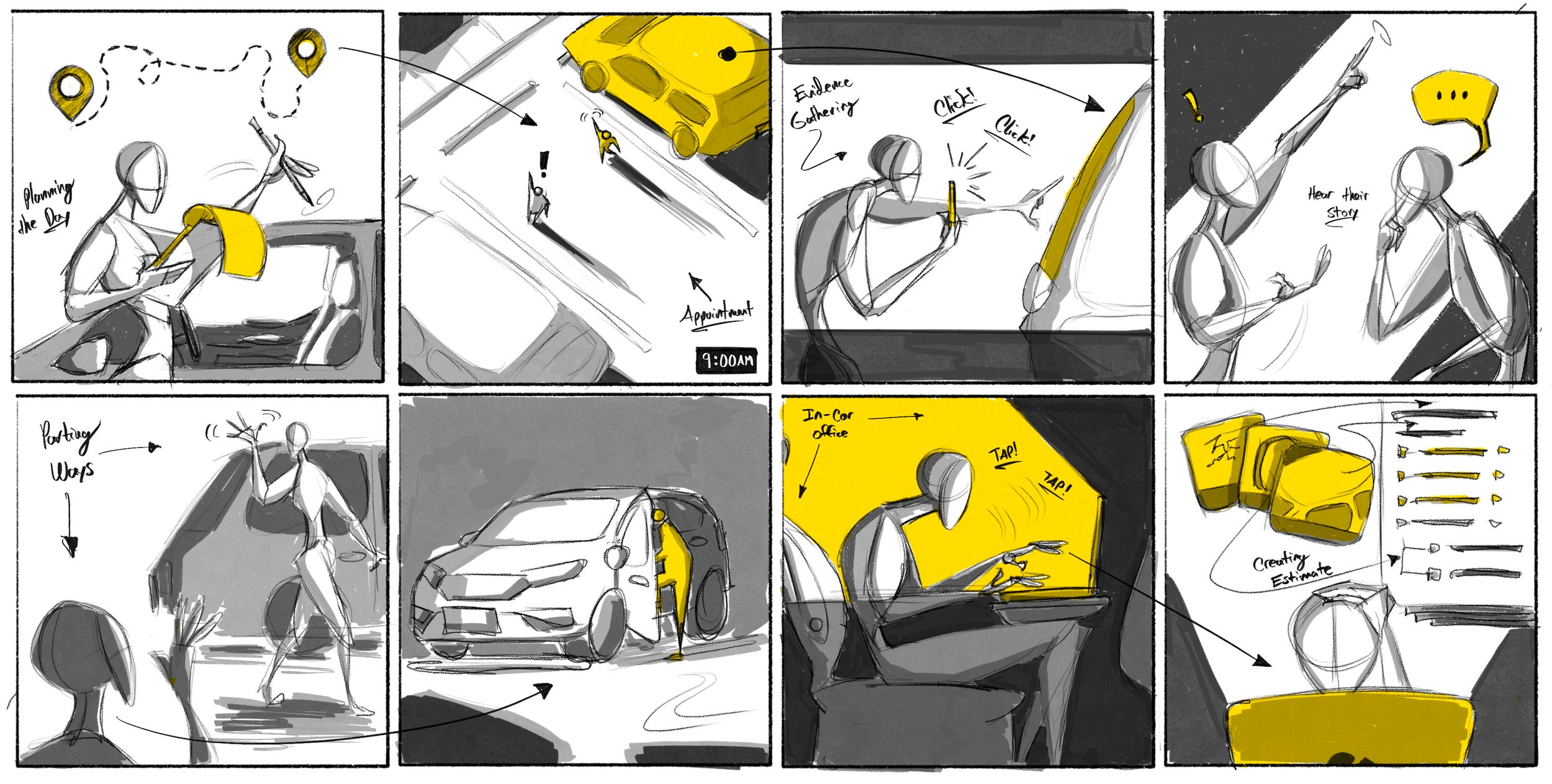
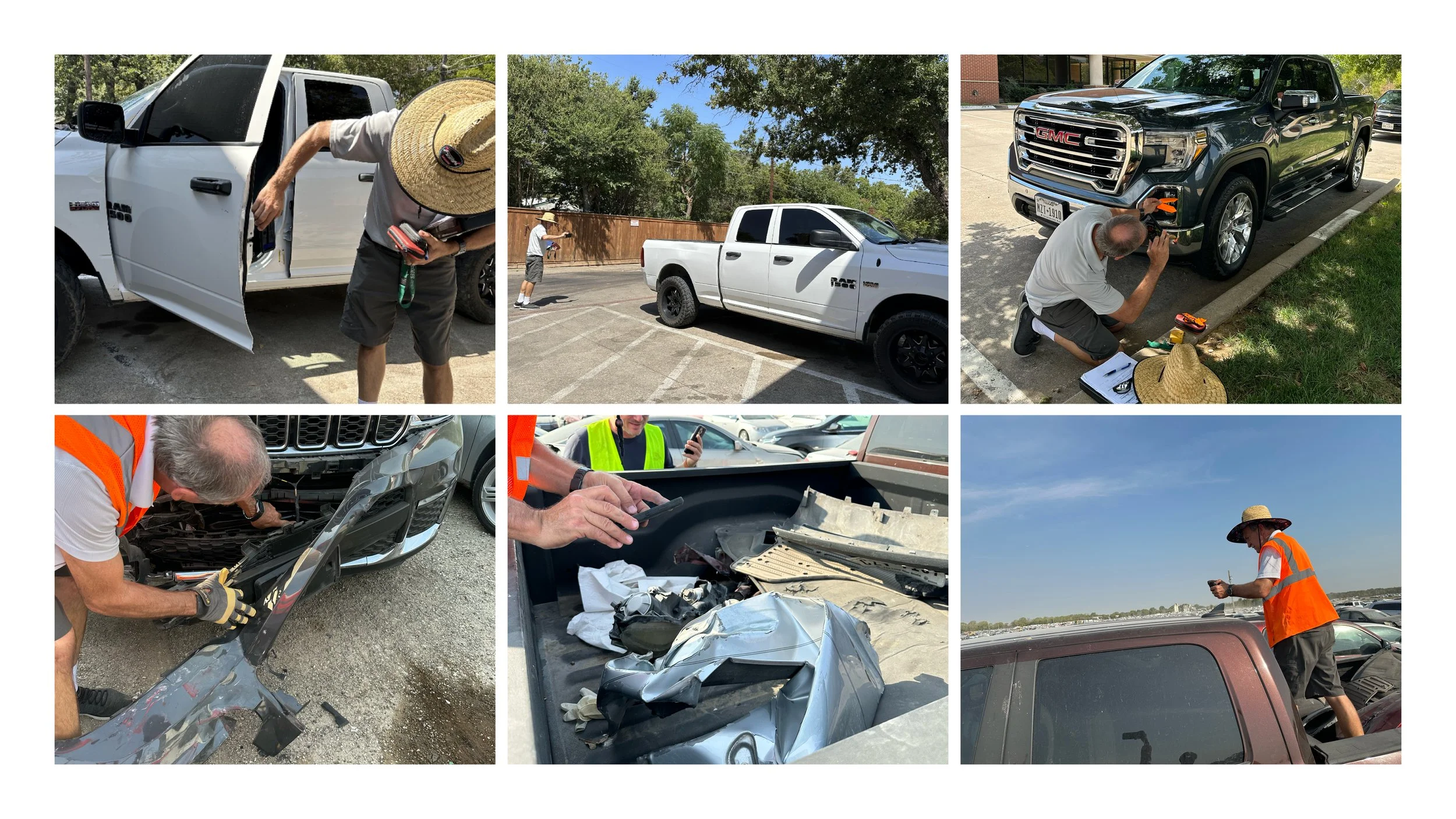
Ride-alongs and interviews were key research tools for learning about and dissecting the user journeys and JTBD for a field appraiser. Working with insurance carriers, I shadowed field appraisers over the course of their work day, gathered notes, and interviewed them on their experiences and current pain points.
User Research and Observational Studies
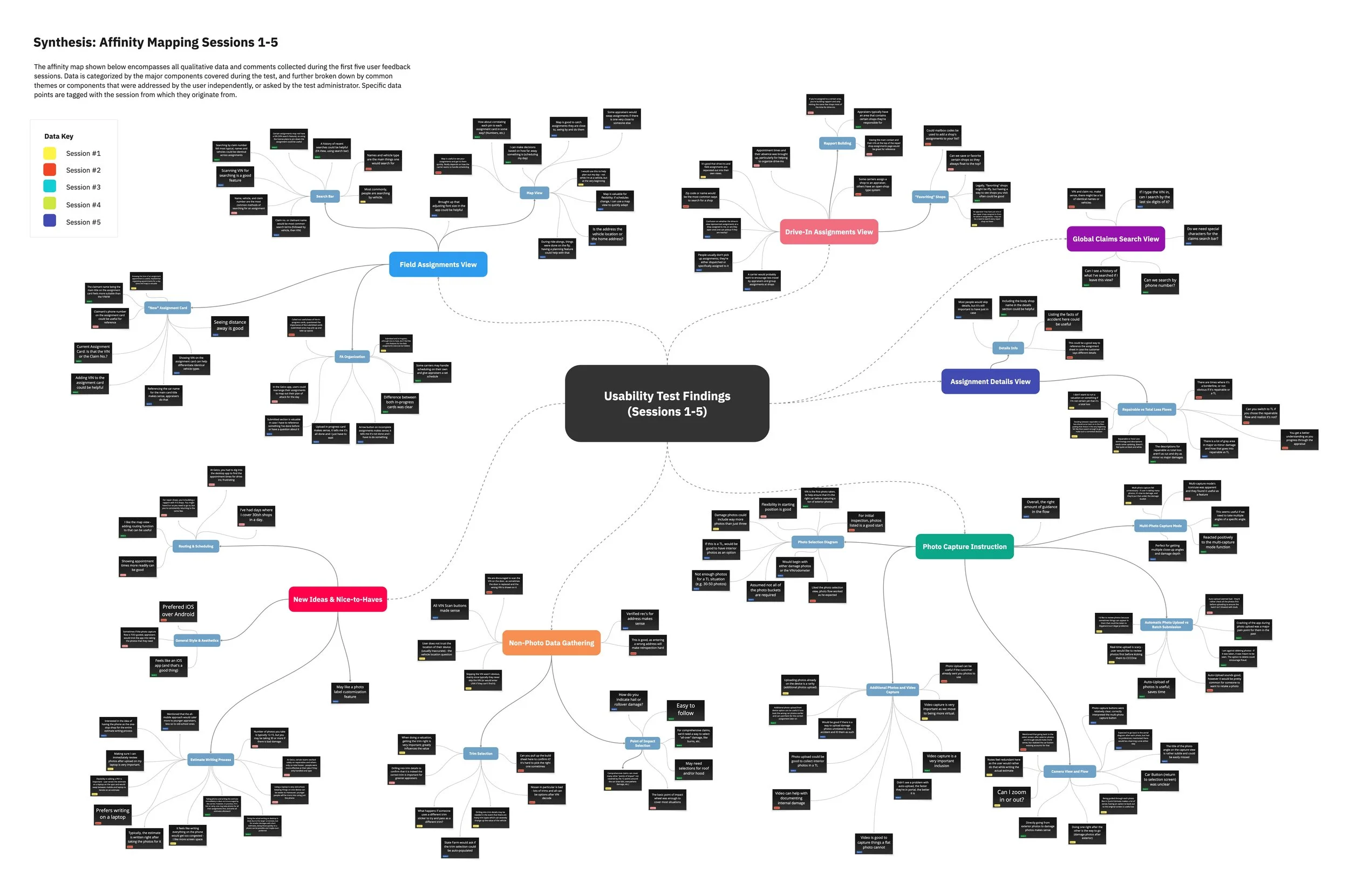
Preliminary designs and flows were tested with participants that possessed experience working as a field appraiser. I conducted the testing sessions and synthesized the findings with a top-down affinity map that categorizes findings based on what aspects of the user journey they are relevant towards. Actionable design items and features were pulled from these results.
Usability Studies
Incomplete or inconsistent claim information before arriving onsite, requiring extra back-and-forth with adjusters or customers.
Unreliable connectivity in the field, making it difficult to capture, save, or upload photos, notes, and measurements in real time.
Connectivity Constraints
Cumbersome documentation tools that require repetitive data entry or navigating multiple disconnected systems.
Scheduling challenges with policyholders, including missed appointments, unclear instructions, or limited availability.
Cumbersome Daily Actions
Pressure to produce fast, accurate reports without streamlined ways to reference guidelines, validate estimates, or flag issues.
Frequent rework due to unclear requirements or process gaps, slowing down the claims pipeline and increasing frustration.
Estimating Difficulty
Design Specs
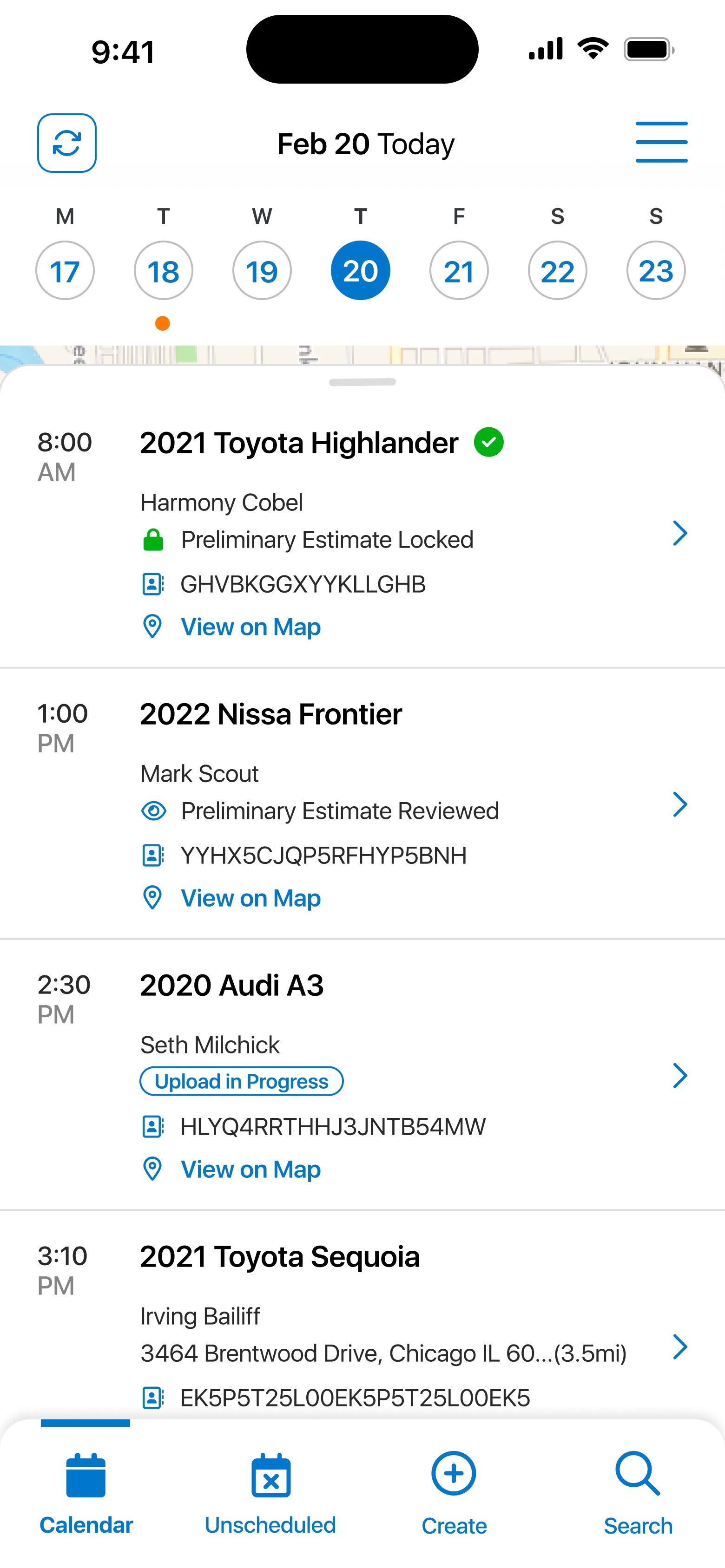
I proposed and designed a new home screen that goes beyond listing all active assignments. Field assignments are organized and indexed by appointment time and date, making it easier for the user to focus on today's assignments and at a glance plan their itinerary accordingly. New features were also added, including collecting photos without an assignment created, and a global search that lets the user search for a specific assignment that they may need to reference again.
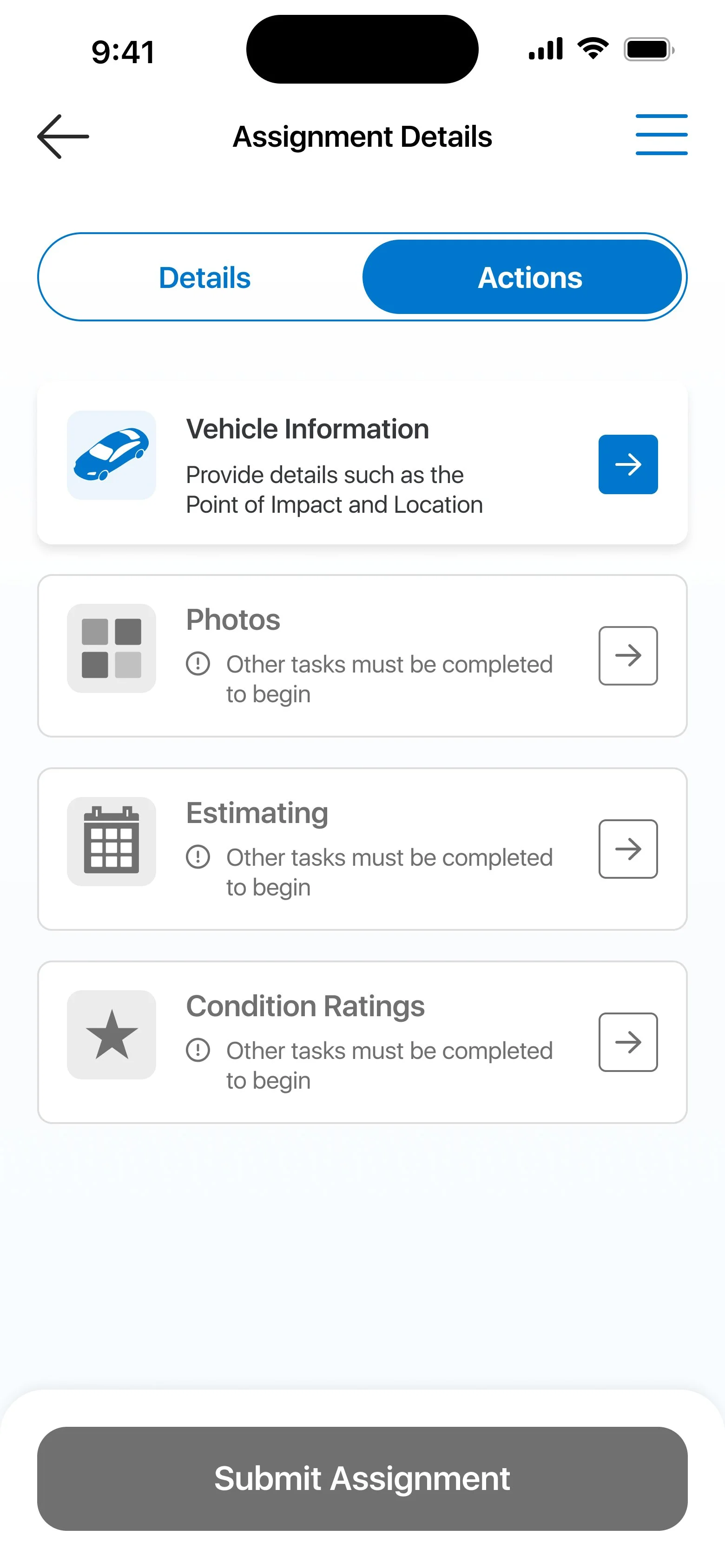
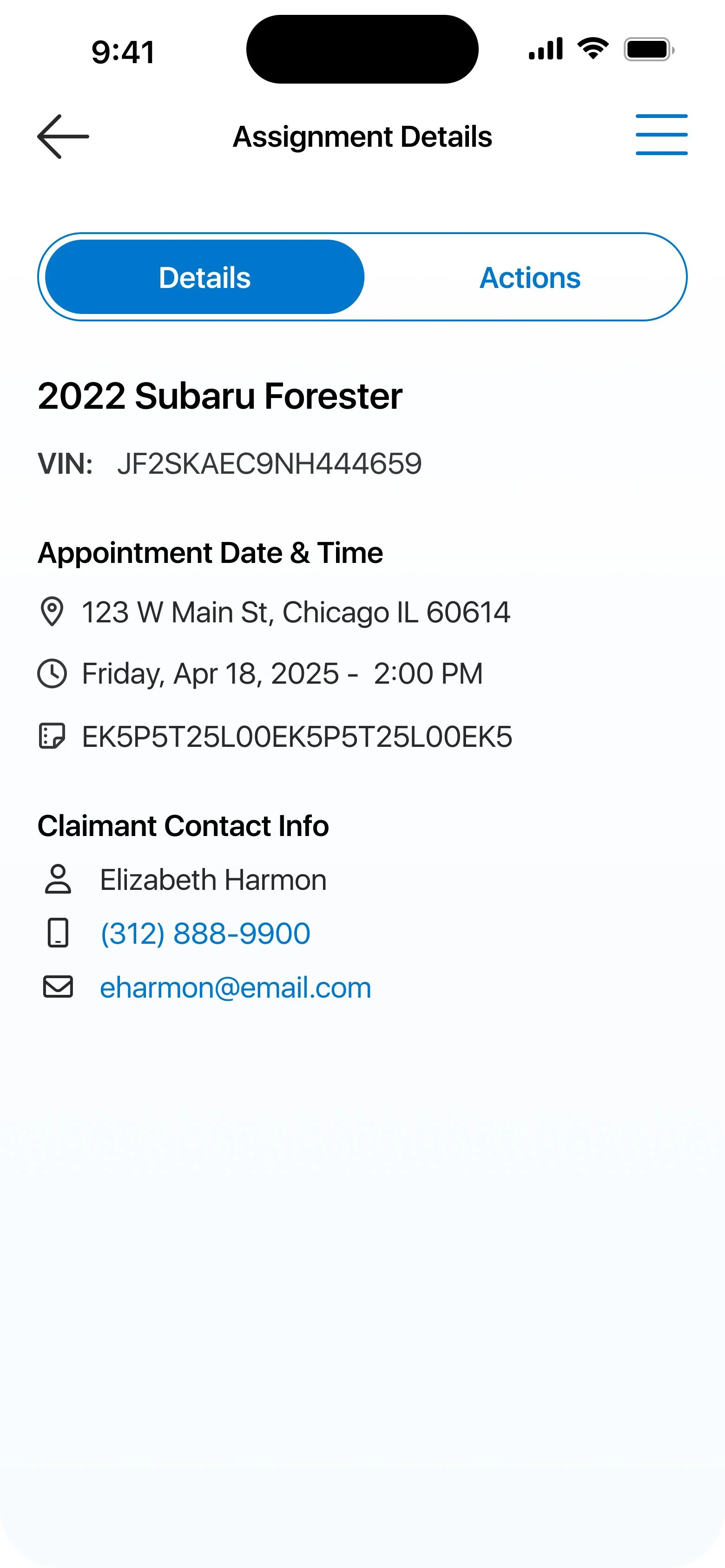
Assignments also possess a detailed view that shows relevant claim information, as well as an actions tab that breaks apart the various actions an appraiser can opt to complete in a way that is flexible for how the user prefers to do their work.
Work Management Improvements
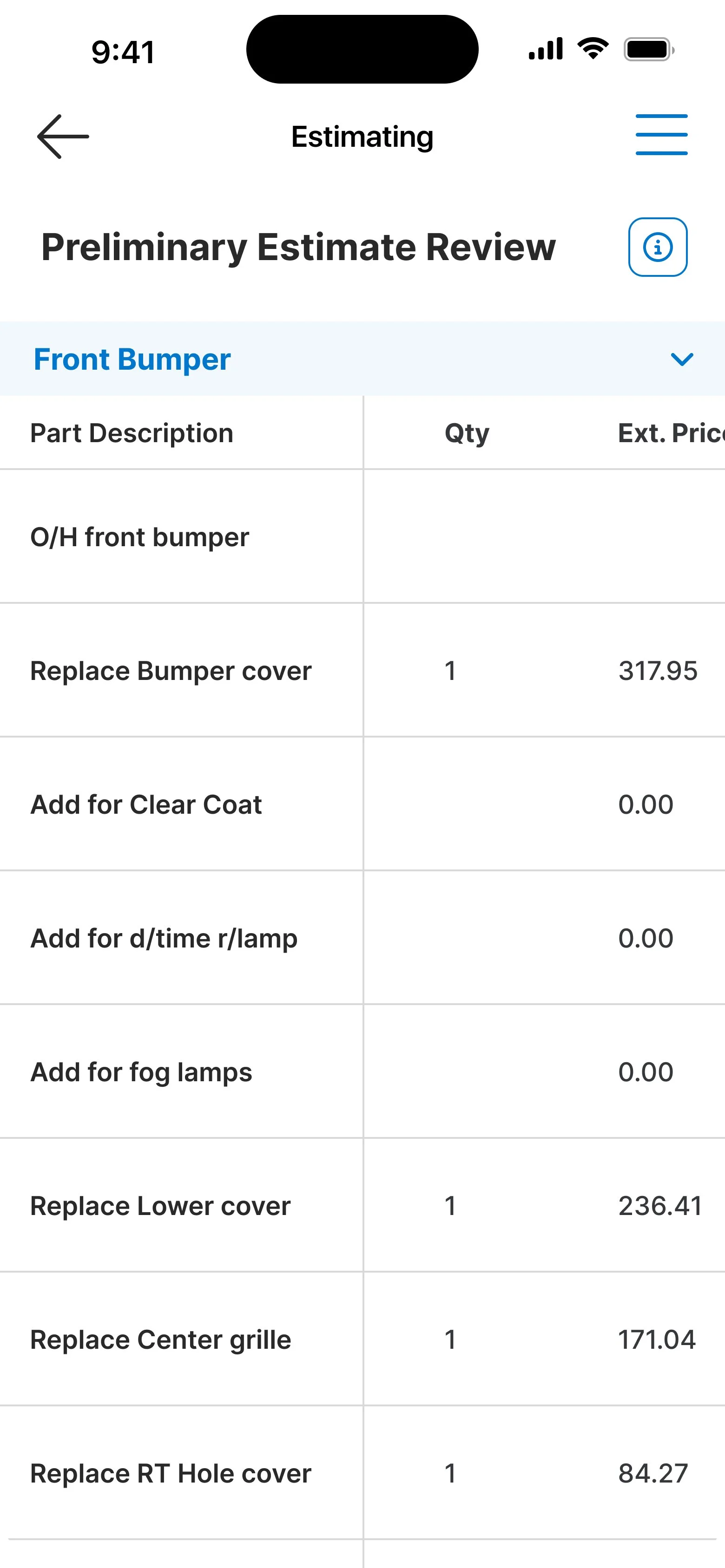
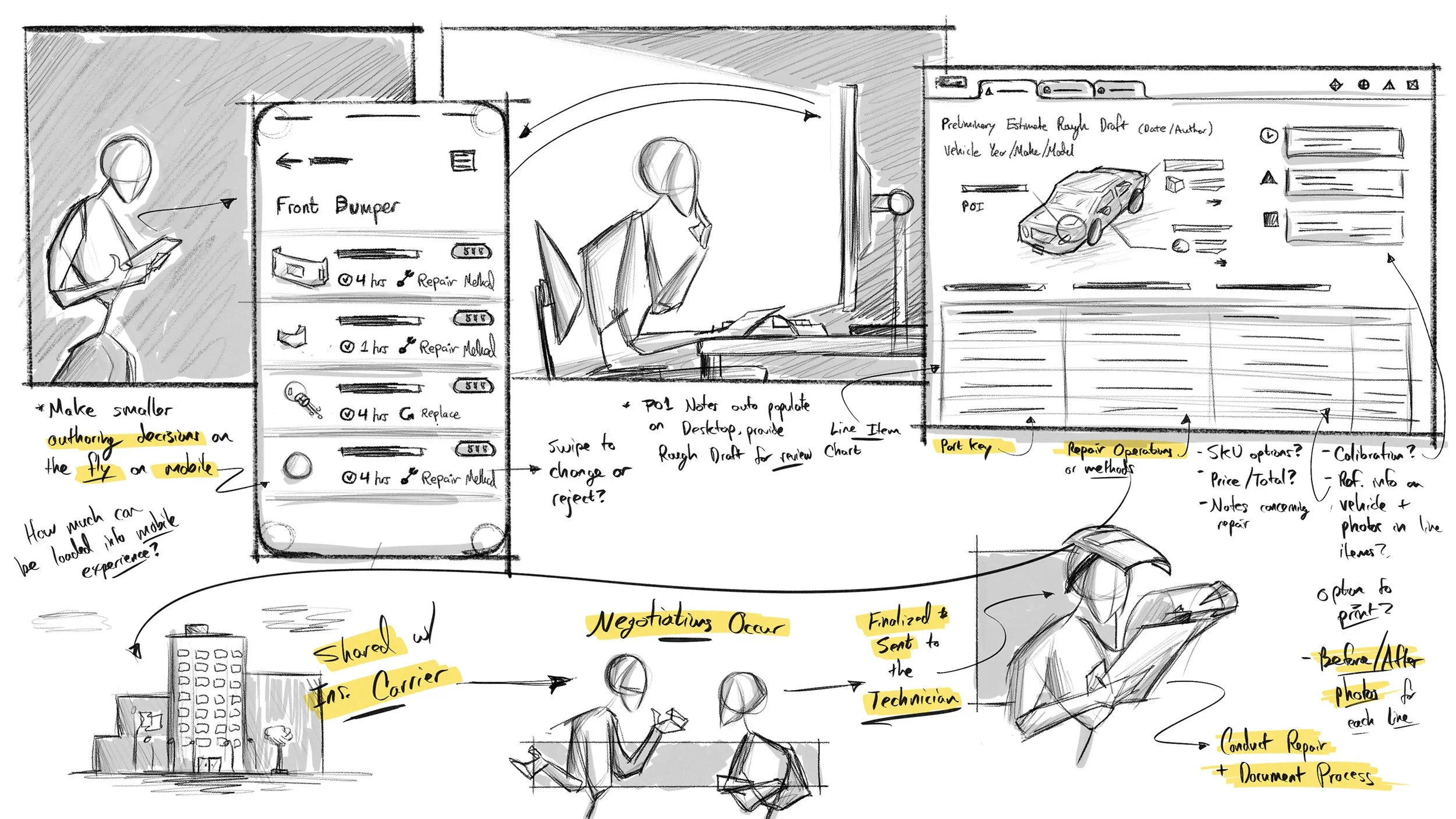
Data entered from previous steps help power an AI model that constructs a rough draft of the preliminary estimate automatically. The user is presented with the estimate and can make changes by swiping on different line items and can change the operation type or amount of labor hours. Once done, the user can specify certain parts for some of those operations as well as view the estimate they've arrived upon for this assignment.
Syncing with Desktop Tools
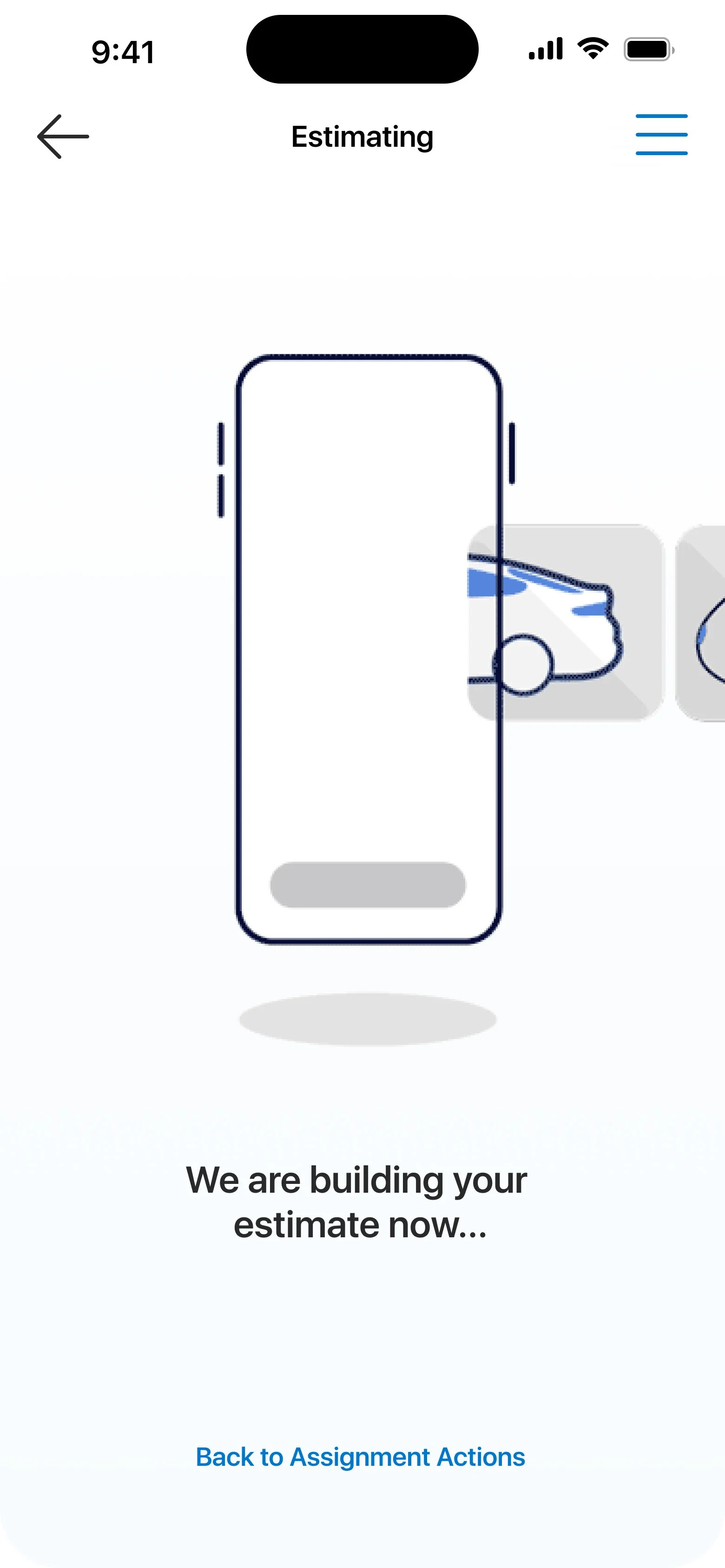
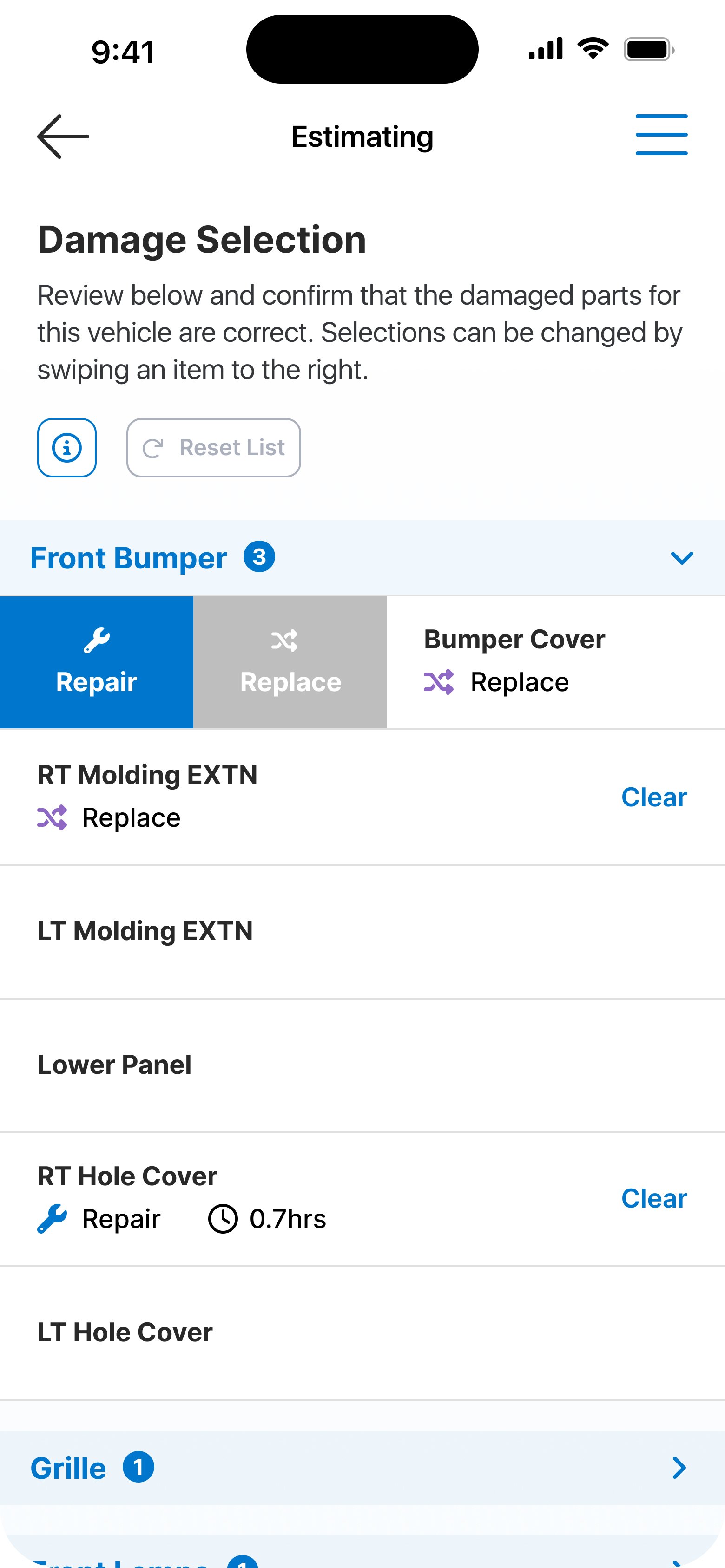
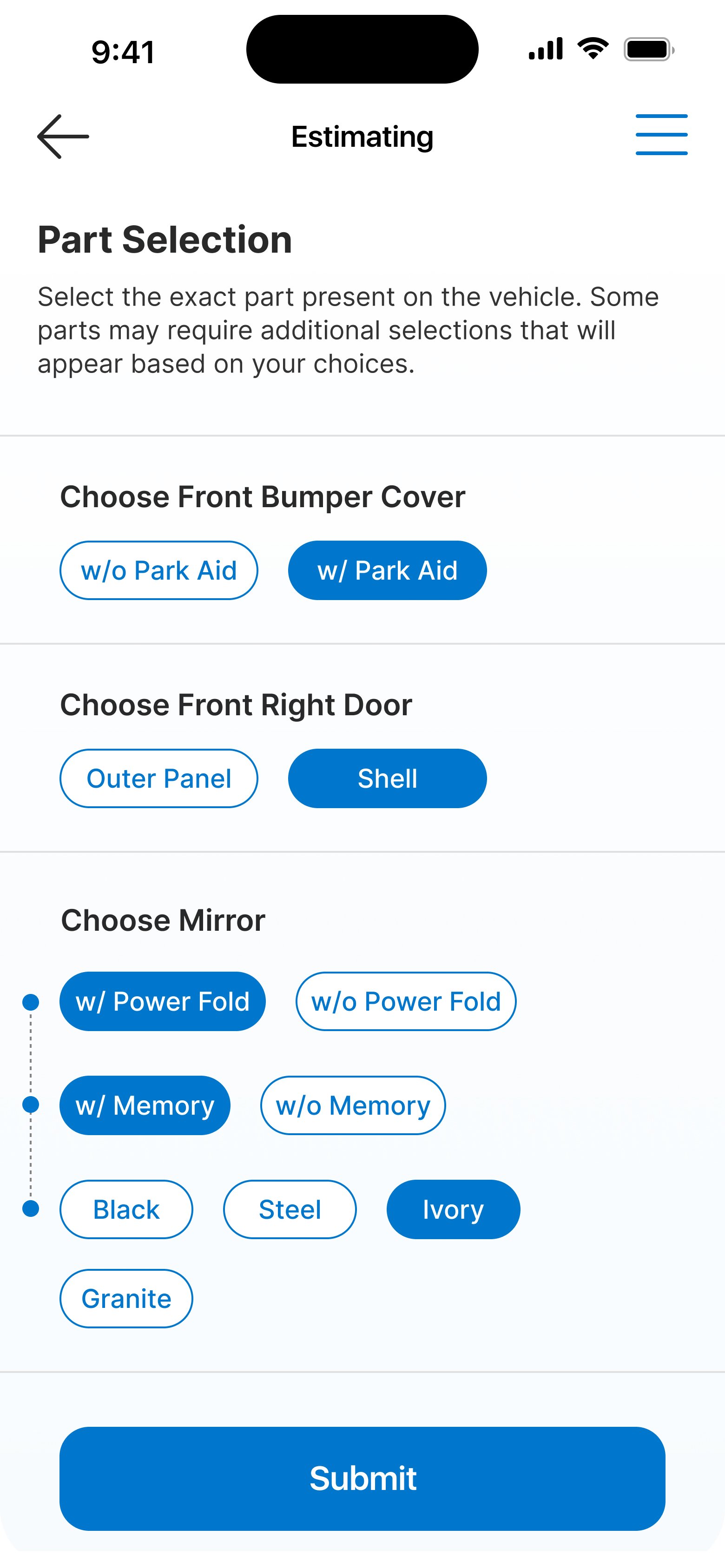
Photo Capture and AI Estimating
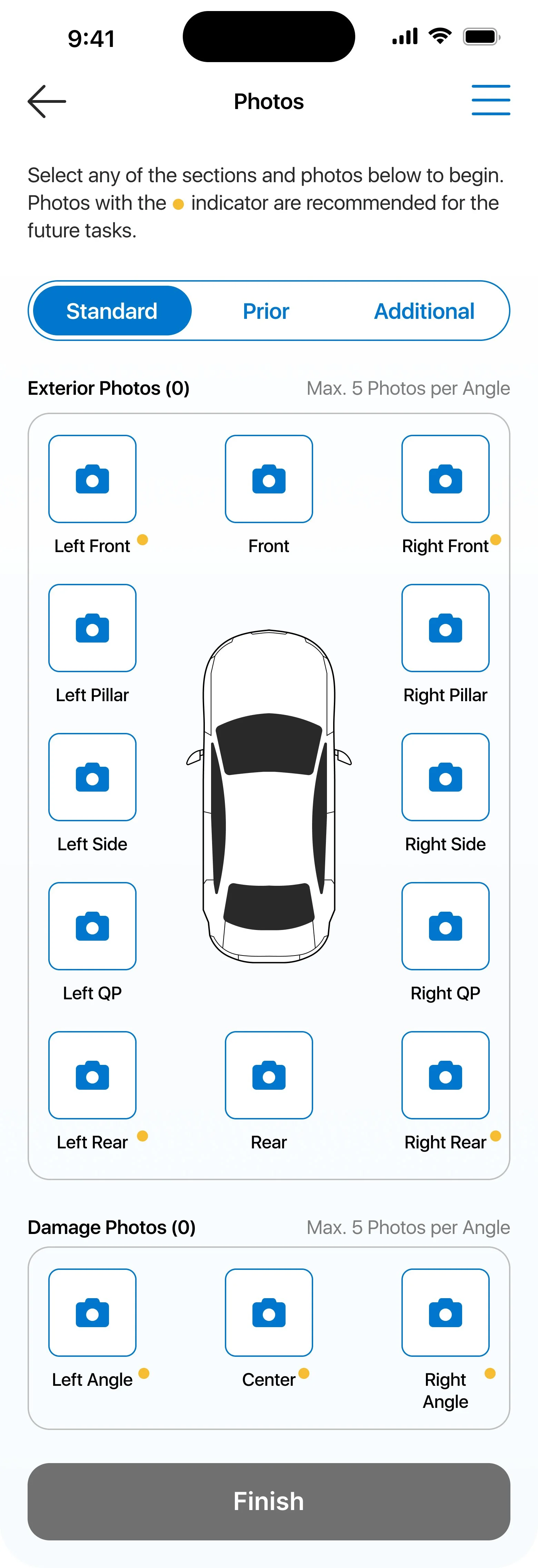
The photo capture process for appraisers can require many detailed photos to aid in justifying their choices on an estimate. I expanded upon previous iterations of photo capture by introducing new sections for key distinctions such as prior damage and interior photos, as well as using tabs for more flexibility for the user in terms of in what order they capture photos.